

Quick Overview: Selling Internationally on Shopify Comes Down to Markets and Four Fees
To sell internationally on Shopify, you add "Markets" to your existing store and configure currency, language, shipping, and taxes for each country. Regional markets are available on every plan, so there is no need to build a second store.
On the cost side, you get the full picture once you understand your monthly plan plus four fees: 1. the rate for cards issued outside your country, 2. the currency conversion fee when customers pay in their local currency, 3. the transaction fee for third-party payment providers, and 4. the transaction fee for collecting duties at checkout. This article walks through the setup steps and costs as described in Shopify's official Help Center, from the perspective of a Japan-based store, and includes a worked fee example on a 10,000 yen order plus key tax points such as Japan's consumption tax exemption for exports.
What Selling Internationally on Shopify Means
Selling internationally on Shopify means creating country- or region-based "markets" inside a single store and tailoring currency, language, pricing, shipping, and taxes for customers in each market so you can sell directly to consumers abroad.
You Can Sell Abroad From Your Existing Store
You can keep using your domestic store to sell internationally. When a store is created, Shopify automatically sets up a domestic market for the store's home country and an inactive international market. For each market, you can override settings such as currency, product availability, theme content, domains, languages, and taxes.
Requirements to Check Before You Start
Shopify's Help Center lists the following requirements for selling internationally.
- To accept payments in multiple currencies, you must use Shopify Payments or Adyen as your payment processor. Otherwise, customers are charged in your store's default currency (Japanese yen for a Japan-based store).
- You must set shipping rates for every country and region you sell to. A market can only be activated for countries and regions that have shipping rates.
- Only customers in countries or regions included in an active market can check out.
How to Set Up International Selling on Shopify
The smoothest way to set up international selling on Shopify is to work through the steps below, from creating a market to activating it. Admin labels follow Shopify's Help Center as of November 2026.
1. Create a Market
Markets are created on the Markets page in your Shopify admin.
- From your Shopify admin, go to Markets and click Create market
- Enter a name and choose a publishing status (choose Draft if you want to review before going live)
- In the Includes section, click Add condition, then choose the countries or regions you want to sell to
- Click Save
If you sell to all of Europe the same way, group it into one market. If you want different pricing or content by country, create separate markets.
2. Set Currencies and Local Prices
By default, a market uses the currency of the region you selected. To change it, open the market, click the "+" next to Currency, choose a currency, decide whether to round converted prices, and save. Prices are converted automatically at market exchange rates, but you can also set exchange rates manually, apply price rounding, adjust prices by percentage, or set product prices by country. When selling in local currencies, you need to add a country selector so customers can choose their country.
3. Add Languages and Translate Your Store
When you add a language, Shopify's own translation app, Translate & Adapt, is installed automatically. You can translate content manually or use Shopify's AI translation. According to its Shopify App Store listing, the app is free, and automatic translation is free for up to two languages. Once a language is published, checkout and email notifications also appear in the customer's language. Basic, Grow, and Advanced plans support up to 20 languages, and Plus supports up to 30.
4. Choose Domains or Subfolders
You can assign domains, subfolders, and languages to each market. Language-specific URLs use either subfolders such as example.com/de or subdomains such as de.example.com.
5. Set Up Shipping Zones and Rates
Add the countries and regions you ship to as shipping zones in your Shipping and delivery settings, then set rates. You can only add countries and regions that belong to a market. Products shipped internationally need an HS code (Harmonized System code, an international product classification number).
6. Review Payment Methods
With Shopify Payments, customers can pay in their local currency by credit card, Shop Pay, Apple Pay, Google Pay, and PayPal Express. The market settings page also shows local payment methods available in each country.
7. Decide How to Handle Taxes and Duties
If you want to collect duties at checkout, set it up under Settings > Taxes and duties, in the Duties and import taxes section. The section on taxes and duties below explains this in detail.
8. Activate and Test Your Market
Once every country in the market has shipping rates, change the status from Draft to Active and save. Before going live, it is worth checking how currency, language, and shipping costs appear to customers, for example with the checkout preview.
Shopify International Selling Fees
The cost of selling internationally on Shopify splits into monthly plan fees and per-order fees. All figures below are from Shopify's Japan pricing page and Help Center as of November 2026.
Monthly Plans
| Plan | Monthly price (billed yearly) | Monthly price (billed monthly) |
|---|---|---|
| Basic | 3,650 yen | 4,850 yen |
| Grow | 10,100 yen | 13,500 yen |
| Advanced | 44,000 yen | 58,500 yen |
| Plus | From 368,000 yen | From 368,000 yen |
After a 3-day free trial, most plans cost 150 yen per month for the first three months.
Shopify Payments Card Rates and Transaction Fees
| Fee | Basic | Grow | Advanced | Plus |
|---|---|---|---|---|
| Standard online card rate (domestic) | 3.55% | 3.4% | 3.25% | 2.9% |
| Online international card rate | 3.9% | 3.85% | 3.8% | 3.75% |
| Third-party payment provider transaction fee | 2% | 1% | 0.6% | 0.2% |
Cards issued abroad are charged the international card rate, so your fee rate is higher than on domestic orders. The third-party transaction fee applies when you use a payment provider other than Shopify Payments. If Shopify Payments is your primary provider, PayPal transactions are exempt from this fee.
Currency Conversion Fees
When customers pay in their local currency, a currency conversion fee applies to convert the amount into your payout currency (Japanese yen). In all Shopify Payments regions other than the United States and France, including Japan, the fee is 2%. Currency conversion fees and card fees are not returned when you issue a refund. Foreign transaction fees that a customer's bank charges them are not charged to the merchant.
Transaction Fees for Calculating Duties
Orders where duties and import taxes are calculated at checkout incur a transaction fee. Since February 2, 2025, this fee has been temporarily lowered to 0.5%. The standard rates are 0.85% with Shopify Payments and 1.5% with other payment providers.
Worked Example: Selling a 10,000 Yen Item to a US Customer in US Dollars
We applied the published rates to a scenario where a store on the Basic plan sells a 10,000 yen item to a US customer who pays in US dollars with a US-issued card.
| Item | Rate | Approximate amount |
|---|---|---|
| International card fee | 3.9% | 390 yen |
| Currency conversion fee | 2% | 200 yen |
| Total | 5.9% | 590 yen |
| (Reference) If duties are also calculated at checkout | +0.5% | +50 yen |
If a domestic customer bought the same item with a domestic card, the fee would be 3.55%, or 355 yen, so an international order costs roughly 235 yen more in fees. Shopify's Help Center explains that the currency conversion fee is included in the local-currency price shown to customers. This example treats every fee as a cost to the store, so it should be read as an upper-bound estimate.
Taxes and Duties to Watch When Selling Internationally on Shopify
The three tax topics to understand are Japan's consumption tax, duties and VAT in the destination country, and Shopify's price display settings.
Japan's Consumption Tax Is Exempt on Exports
According to Japan's National Tax Agency, export transactions made by taxable businesses are exempt from consumption tax. Consumption tax paid on purchases and expenses related to those exports can be claimed as an input tax credit when filing. To qualify, you need proof of export and must keep the documents for seven years. For parcels or EMS items sent by post and valued at 200,000 yen or less each, the acceptance record from Japan Post and a copy of the shipping slip serve as proof. Items over 200,000 yen require an export permit. Confirm the exact treatment with a tax accountant.
Tax-Inclusive Prices and Dynamic Tax Display
Japan-based stores are required to use tax-inclusive pricing. When you set a market's tax display to Dynamic tax display, Shopify removes Japan's consumption tax to get the base price and then adjusts the price to match the destination's tax. For example, an item priced at 1,100 yen including 10% tax is shown at 1,000 yen in regions where tax is not included in displayed prices.
Duties and VAT in the Destination Country
When you ship abroad, customers may be charged duties and import taxes when the package arrives. Collecting an estimate of those charges at checkout helps customers avoid unexpected bills on delivery. Collecting duties at checkout comes with the following conditions.
- Products need HS codes and countries of origin
- You must use a carrier that supports Delivered Duty Paid (DDP)
- Both duties and taxes are charged; you cannot collect taxes alone
- You choose either DDP or DAP (Delivered at Place, where the customer pays duties on delivery) for each country
Some destinations require the seller to register for tax locally. In the UK, for example, when an overseas seller sells goods in consignments of 135 pounds or less directly to consumers, the seller must register for VAT and charge it at the point of sale.
Managed Markets Is Not Available to Japan-Based Stores
Shopify offers Managed Markets, in which Global-e acts as the merchant of record and handles local tax registration, remittance, and duties. However, it is only available to merchants based in the contiguous United States and to some stores in Canada and the UK (as of November 2026). Japan-based stores should plan on handling taxes and duties themselves.
Shopify vs. Leap for Selling Internationally
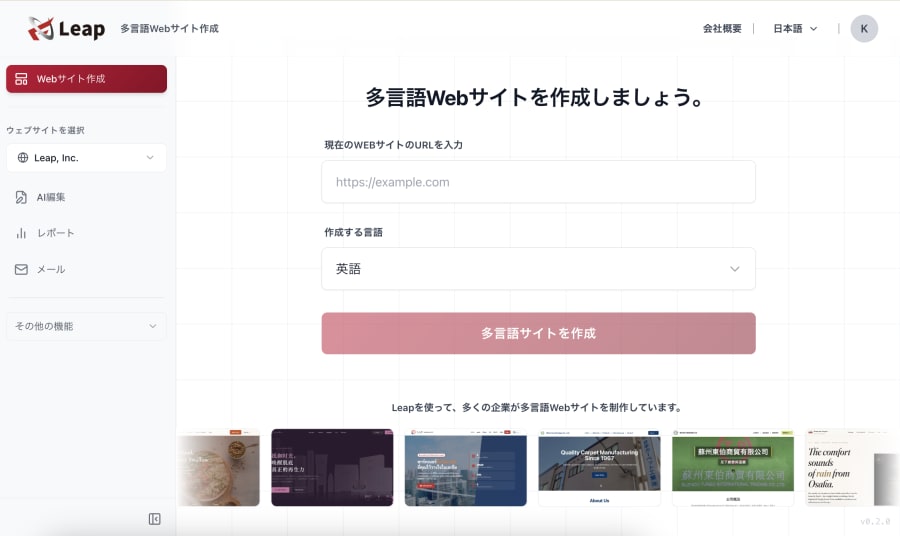
Shopify's strengths are flexibility and a large app ecosystem, while overseas marketing is something you run yourself. As an option for merchants who also want help with marketing, we compared it with Leap, a cross-border ecommerce tool that lets AI handle marketing too (as of November 2026).
| Item | Shopify | Leap |
|---|---|---|
| Pricing | From 3,650 yen/month (Basic, billed yearly) | From 0 yen/month (excl. tax) |
| Fees | Cards from 3.55%, international cards from 3.9%, conversion 2% | 6% of sales (includes card processing fees) |
| Cross-border support | Up to 20 languages, local-currency checkout, Shop Pay, PayPal, and more | 1 language to unlimited depending on plan; USD, EUR, JPY; Visa and Mastercard |
| Marketing | Email campaigns, customer segments, automation; extendable with apps | Automated multilingual blog posts, multilingual newsletters, CRM |
| B2B | Shopify B2B (up to 3 catalogs except on Plus) | Dedicated B2B cart (company-specific pricing, quote requests) |
| Customization | Thousands of apps; theme customization by market on Advanced and above | Mainly templates and chat-based editing; less flexible than Shopify |
Shopify suits merchants who want to fine-tune design and features, while Leap suits those who want to hand off overseas marketing through a single chat.
FAQ
Q. Which Shopify plan do I need to sell internationally?
A. Regional markets are available on every plan, so you can start selling internationally on the Basic plan. Customizing themes by market and third-party calculated shipping rates are included on Advanced and above.
Q. Who pays duties for international customers?
A. By default, customers may be charged duties and import taxes when the package arrives. You can also collect an estimate at checkout, or include duties in your prices and cover them yourself.
Q. Is Japan's consumption tax charged on international sales?
A. Export transactions by taxable businesses are exempt from consumption tax. To qualify, you must keep proof of export for seven years; for parcels or EMS items of 200,000 yen or less, Japan Post's acceptance record and a copy of the shipping slip serve as proof.
Q. Can I sell internationally on Shopify without speaking English?
A. Yes. The AI translation in Translate & Adapt can translate product pages and other content automatically. Automatic translation is free for up to two languages, and you can edit errors or awkward phrasing by hand, so having a native speaker review it before launch is a good idea.
Summary and Key Takeaway
Selling internationally on Shopify can start from your current store once you create markets and set up currency, language, shipping, and taxes. Cost-wise, the real difference from domestic sales is not the monthly plan but the per-order fees, where the international card rate and the currency conversion fee stack up. As the worked example shows, a 10,000 yen order can cost about 590 yen in fees, so it pays to set prices on the assumption that international orders cost more to process.
The other takeaway is that finishing setup does not bring overseas customers to your store on its own. Whether you can also prepare marketing, such as content in local languages and email campaigns, is what decides the outcome of selling abroad.
Leap is a cross-border ecommerce tool that lets AI handle marketing too. Just chat with it to build a multilingual, multi-currency online store and run overseas marketing such as SEO and email newsletters.
References
- Pricing (Japan) - Shopify
- International selling tools - Shopify Help Center
- Markets - Shopify Help Center
- Creating and activating markets - Shopify Help Center
- Requirements and considerations for using Markets - Shopify Help Center
- Local currency pricing - Shopify Help Center
- Fees and charges - Shopify Help Center
- Payments - Shopify Help Center
- Localization and translation - Shopify Help Center
- Requirements and considerations for selling in multiple languages - Shopify Help Center
- Translate & Adapt - Shopify App Store
- Shipping zones and markets - Shopify Help Center
- Adding HS codes to products - Shopify Help Center
- Duties and import taxes - Shopify Help Center
- Considerations for collecting duties and import taxes at checkout - Shopify Help Center
- Collecting international duties and import taxes at checkout - Shopify Help Center
- Duty and tax-inclusive pricing - Shopify Help Center
- Japanese taxes - Shopify Help Center
- Managed Markets - Shopify Help Center
- No.6551 Tax exemption for export transactions (Japanese) - National Tax Agency, Japan
- VAT and overseas goods sold directly to customers in the UK - GOV.UK
- Pricing - Leap