

Quick Overview: 5 Ways to Build a Cross-Border Ecommerce Site
There are five main ways to build a cross-border ecommerce site:
- Build your own store with a hosted store builder (SaaS)
- Develop your own store with open-source software, an enterprise package, or fully custom code
- Hire an agency to build your store for you
- Sell on an overseas marketplace
- Add an international checkout service to your existing domestic store
Options 5 and 1 cost the least money and effort, options 2 and 3 give you the most freedom, and option 4 gives you built-in traffic from day one. This article compares the five approaches in one table and uses published pricing to estimate how much each costs per month at ¥500,000 (about $3,300) in sales. It is not a head-to-head of specific platforms or marketplaces — it is about choosing how to build your cross-border store. The examples assume a seller based in Japan.
The 5 Ways to Build a Cross-Border Ecommerce Site
Cross-border ecommerce sites fall into five types, based on two questions: do you run your own store or sell on someone else's platform, and do you build it yourself or have someone build it for you?
| Approach | What it involves | Best for |
|---|---|---|
| 1. Use a store builder | Sign up for a hosted ecommerce service and build from a template | Businesses that want to start small and fast, or have no in-house engineers |
| 2. Develop your own store | Use free open-source software, a paid enterprise package, or build from scratch | Businesses that need ERP integration or custom features |
| 3. Hire an agency | Let a web agency or cross-border specialist handle design and build | Businesses without in-house staff but with budget to spend |
| 4. Sell on an overseas marketplace | List products on a marketplace such as Amazon.com | Businesses that want to test overseas demand first |
| 5. Add an international checkout service | Add a tag to your existing domestic store and outsource overseas orders | Businesses already selling domestically that want to test with minimal effort |
1. Build Your Own Store with a Store Builder
Using a store builder means signing up for a hosted ecommerce service (often called SaaS or a hosted cart), choosing a design template, and adding your products. There is no server to set up and no coding required — you can start building as soon as you sign up.
For cross-border sales, check whether the builder supports multiple languages, multiple currencies, and international payments. Shopify, for example, lists storefront translation, local-currency pricing, and local payment methods as international selling features on its pricing page (some require Shopify Payments; as of November 2026). The trade-off is that design and functionality are limited to what the platform offers.
2. Develop Your Own Store (Open Source, Package, or Custom Build)
Developing your own store means installing ecommerce software on your own servers and customizing it. There are three variations:
- Open source: Use freely available software. EC-CUBE, for example, uses a dual-license model: a free GPL license or a paid commercial license
- Enterprise package: Start from paid ecommerce software built for businesses and add features to fit your needs
- Fully custom (from scratch): Build everything without existing software
You get maximum flexibility, but you or your developer must handle server operations, security, and building out multilingual, multi-currency, and international payment features. Costs vary widely with requirements, so the most reliable approach is to get quotes from several developers using the same spec.
3. Hire an Agency to Build Your Store
Hiring an agency means outsourcing the design and build of your own store to a web agency or cross-border ecommerce specialist. The agency may build on a store builder (option 1) or develop a custom platform (option 2). Shopify, for instance, runs an official directory where you can find agencies and freelancers for store builds, migrations, and multilingual or multi-currency setup.
Before hiring, confirm whether the engagement ends at launch or includes post-launch updates, marketing, and operations. Cross-border stores need ongoing translation updates and overseas marketing, so compare total costs including what happens after launch.
4. Sell on an Overseas Marketplace
Selling on an overseas marketplace means skipping your own site and listing products where large numbers of shoppers already gather. You can use the marketplace's traffic to test overseas demand quickly.
In return, you pay a monthly fee plus a selling fee on each sale, and you follow the marketplace's rules on design and customer data. For example, an Amazon.com Professional selling plan costs $39.99 per month, and referral fees for most categories range from 8% to 15% of the sale (as of November 2026). For differences between marketplaces, see a dedicated marketplace comparison.
5. Add an International Checkout Service to Your Existing Store
Adding an international checkout service means placing a tag on your existing domestic store and letting a proxy-purchase company handle overseas order intake, international shipping, and customer support. You can start selling internationally without rebuilding your site.
WorldShopping BIZ, for example, is a proxy-purchase service that makes an ecommerce site ready for overseas sales with a single line of tag code. It costs a ¥33,000 setup fee and ¥5,500 per month (both tax included), with no sales commission. Overseas shoppers pay a separate proxy-purchase fee and international shipping fee (as of November 2026). It is easy to set up, but pages tailored to overseas shoppers and overseas marketing are still up to you.
Cross-Border Ecommerce Site Build Options: Cost and Feature Comparison
Here is how the five approaches compare on pricing, fees, cross-border support, marketing features, and B2B support. For each approach, we list an example service whose pricing can be confirmed on its official website (as of November 2026; prices as displayed by each company).
| Approach (example) | Pricing | Fees | Cross-border support (languages, currencies, payments) | Marketing features | B2B support |
|---|---|---|---|---|---|
| Store builder (Shopify Basic) | ¥4,850/month (monthly billing), ¥3,650/month (annual billing) | 3.9% for international cards (Shopify Payments) | Storefront translation, local-currency pricing, local payment methods (some require Shopify Payments) | Email campaigns, customer segments | Shopify B2B (up to 3 catalogs) |
| Self-developed (e.g., EC-CUBE) | Software is free under the GPL license; servers and development extra | Depends on your payment processor | Depends on development and setup | Depends on development and setup | Depends on development and setup |
| Agency build | Quoted per agency and requirements | Depends on the underlying platform and payments | Depends on scope | Depends on scope | Depends on scope |
| Overseas marketplace (Amazon.com Professional) | $39.99/month | Referral fees (8–15% for most categories) | Sell on that country's marketplace (Amazon.com serves the U.S.) | On-marketplace search and ads | Amazon Business (Professional plan required) |
| International checkout service (WorldShopping BIZ) | ¥33,000 setup + ¥5,500/month (tax incl.) | No sales commission (shoppers pay a proxy fee) | Handles order intake, international shipping, and support | Relies on your existing site's traffic | Not stated on official site |
| Leap (store builder) | Free ¥0; Starter from ¥9,800/month (excl. tax) | 6% of sales (card processing included) | Multilingual; USD/EUR/JPY; Visa/Mastercard | Newsletters, CRM, AI blog (Basic and above) | Dedicated B2B cart (per-company pricing, quotes, invoice payment) |
Within the "own store" category, store builders have the most predictable costs, while self-development and agency builds vary in both cost and features depending on requirements. Only marketplaces and some store builders come with marketing built in; with the other approaches, you need to arrange marketing separately.
If you want fine-grained control over design and features, Shopify or a custom build is the better fit. If you want to run overseas marketing with a small team, consider Leap, a cross-border ecommerce tool that lets AI handle marketing too. Note that Leap's payments are mainly card-based and it offers less customization.
Sample Calculation: Monthly Cost at ¥500,000 in Sales
At ¥500,000 in monthly sales, the monthly cost ranges from about ¥5,500 to ¥80,000 depending on the approach. We calculated this from published pricing.
Assumptions: All sales come from overseas shoppers. All Shopify payments are on international cards. Amazon.com fees are converted at $1 = ¥150. Shipping, advertising, translation, app fees, and tax differences are excluded.
| Approach (example) | Calculation | Monthly cost |
|---|---|---|
| Store builder (Shopify Basic, monthly billing) | ¥4,850 + ¥500,000 × 3.9% | ¥24,350 |
| Store builder (Leap Starter) | ¥9,800 + ¥500,000 × 6% | ¥39,800 |
| Overseas marketplace (Amazon.com Professional) | ~¥6,000 + ¥500,000 × 8–15% | ~¥46,000–81,000 |
| International checkout service (WorldShopping BIZ) | ¥5,500 monthly fee (no sales commission) | ¥5,500 |
The takeaway: a low monthly fee and low cost at scale are two different things. Approaches with high per-sale fees get more expensive as sales grow, even if the monthly fee is low. Conversely, the international checkout service costs the seller the least, but because shoppers pay the proxy fee, the price they see goes up.
This table also leaves out labor. If you build your own store with a store builder, you still need to handle marketing (SEO, newsletters, and so on) yourself or pay someone to do it. A realistic comparison adds the staff time needed for marketing and operations to the monthly cost.
How to Choose the Right Way to Build Your Cross-Border Store
The easiest way to decide is to ask two questions: Has overseas demand been proven? Do you have staff in-house?
- Overseas demand is still unknown: Start small with an overseas marketplace or an international checkout service to test the response
- You want to sell under your own brand and own customer data: Build your own store with a store builder. If your team is small, choose one that helps with marketing, not just site building
- You need ERP integration or custom features: Develop your own platform or hire an agency
- You have no one to build it but have budget: Hire an agency, and confirm whether post-launch operations are included
Whichever approach you choose, starting with one country and a few products, then investing more in your own store once sales and margins are clear, helps you avoid costly rework.
Steps to Build a Cross-Border Ecommerce Site
Building a cross-border ecommerce site takes five steps. Choosing a build approach is step two — decide which country and products to sell first.
- Choose your target country and products: Demand, regulations, and duties differ by country, so check for products you cannot export and ingredients restricted in the destination country
- Choose a build approach: Use the comparison table and sample calculation in this article to pick one of the five approaches
- Decide on payments, shipping, and who pays duties: Choose payment methods common in the target country, shipping methods and rates, and whether the shopper or seller pays import duties — and state it clearly on your site
- Create product pages in the local language: Don't rely on raw machine translation; adapt phrasing and units to the target market
- Start small and improve: Watch traffic and order data, and refine products, pricing, and pages
FAQ
Q. How much does it cost to build a cross-border ecommerce site?
A. It ranges from a few thousand yen per month to several million yen or more, depending on the approach. Store builders start at a few thousand yen per month (Shopify Basic is ¥4,850/month on monthly billing, as of November 2026), while custom development and agency builds are quoted per project. Marketplaces charge a monthly fee plus selling fees.
Q. Can I make my existing domestic online store ready for cross-border sales?
A. Yes. By adding a tag to your current site and outsourcing overseas orders to a proxy-purchase company, you can start without rebuilding. If your current platform has multilingual and multi-currency features, you can also use those.
Q. Should I start with my own store or a marketplace?
A. If overseas demand is still unknown, starting on a marketplace is the safer choice. Test the response using the marketplace's traffic, then build your own store once sales and margins are clear — that keeps fees down and lets you own your customer data.
Q. Can I build a cross-border ecommerce site without technical expertise?
A. Yes. With a store builder, you can create a store from templates without coding. If you are unsure about payments, shipping, or duties, you can also consult an agency or cross-border specialist.
Summary and Key Takeaway
There are five ways to build a cross-border ecommerce site: use a store builder, develop your own, hire an agency, sell on an overseas marketplace, or add an international checkout service to your existing store. In our sample calculation, monthly costs at ¥500,000 in sales ranged from ¥5,500 to about ¥80,000.
But the real difference lies less in the monthly fee and more in how costs grow with sales and who is responsible for bringing in customers. Marketplaces provide traffic but their fees rise with every sale; your own store keeps fees down but requires you to generate your own traffic. When choosing an approach, compare not just the cost to build but the effort it takes to attract overseas shoppers after launch — that is how you avoid detours.
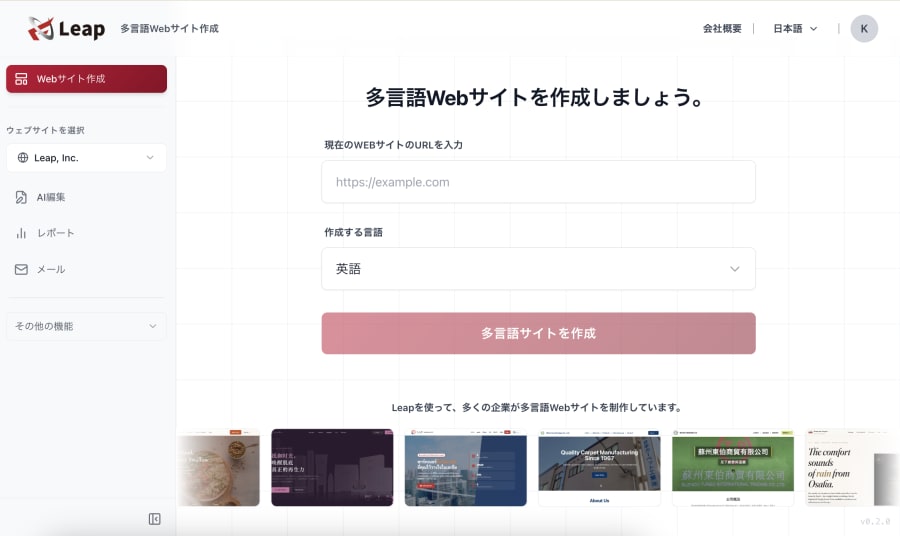
Leap is a cross-border ecommerce tool that lets AI handle marketing too. Just chat with it to build a multilingual, multi-currency online store and run overseas marketing such as SEO and email newsletters.
References
- Pricing Plans - Leap
- Shopify Pricing (Japan) - Shopify
- Hire Shopify Experts, Developers, Designers, and Freelancers - Shopify
- How much does it cost to sell on Amazon? - Amazon
- Amazon Business - Sell on Amazon
- EC-CUBE License (LICENSE.txt) - EC-CUBE on GitHub
- WorldShopping BIZ: Cross-Border Ecommerce Service - Official Site