

Quick Overview: What You Do After Logging In Matters More Than Logging In Itself
Most people searching "STORES owner login" aren't just after the login steps — they want to know what to actually do once they're logged in, and how to make daily inventory management more efficient. This guide covers the basics of logging in to STORES's shop admin, the order confirmation and stock reconciliation work you should do after logging in, how inventory actually syncs with STORES Register, and what to do if you can't log in.
The Basics of Logging In to the STORES Admin
As a shop owner on STORES, you access your admin dashboard starting from the official site (stores.jp), signing in with the email and password you registered when you set up your shop. The admin dashboard and the customer-facing shop page are separate screens — it's worth being careful not to confuse the page where customers browse and buy with the page where you, as the owner, manage products and orders. The exact login screen and steps can change over time, so it's worth checking STORES's own help center for the current procedure.
Order Confirmation and Stock Reconciliation After You Log In
Once you're in the admin dashboard, confirming new orders is an essential part of daily operations. When an order comes in, it shows up in your order list, so the first step is checking for new orders and identifying which ones need to be shipped. Once you've shipped an order, you mark it as shipped in the dashboard and reconcile the stock count to make sure it's been decremented correctly — this reconciliation step matters. Skip it, and the gap between your actual stock and what the dashboard shows can grow, risking a sold-out item getting sold again by mistake.
How Inventory Actually Syncs With STORES Register
For businesses running a physical location, inventory syncing with "STORES Register," the POS system, matters a great deal. A 2022 survey on STORES Register adoption found that among shops using both the register and the online store together, 76.4% actually use the inventory-linking feature between their physical and online channels. The same survey found apparel and fashion was the top adopting industry at 24.4%, with retail overall making up roughly 60% of users. For a business running both a physical shop and an online store, using this inventory-linking feature can significantly cut down on the burden of manually tracking two separate stock counts for online and offline reconciliation.
A Note on Managing This With Multiple Staff
If you want to split product registration and inventory updates across multiple staff members, whether you can set up separate login accounts and permissions per person is a question that matters more as your business grows. At the time of writing, we weren't able to fully confirm the specifics of how permission settings work, or how they differ by plan, from official sources. If you're considering a multi-staff setup, it's worth checking STORES's own help center directly for the current guidance on staff accounts and permissions.
What to Do If You Can't Log In
The most common causes of login trouble are a mistyped password or forgetting the email address you registered. As with most web services, the login screen typically includes a way to reset your password. Try resetting with the email address you think you used, and if that doesn't resolve it, reach out to STORES's official support. Sometimes the issue comes down to cached browser data or old login information — trying a different browser or an incognito/private window is one thing worth trying.
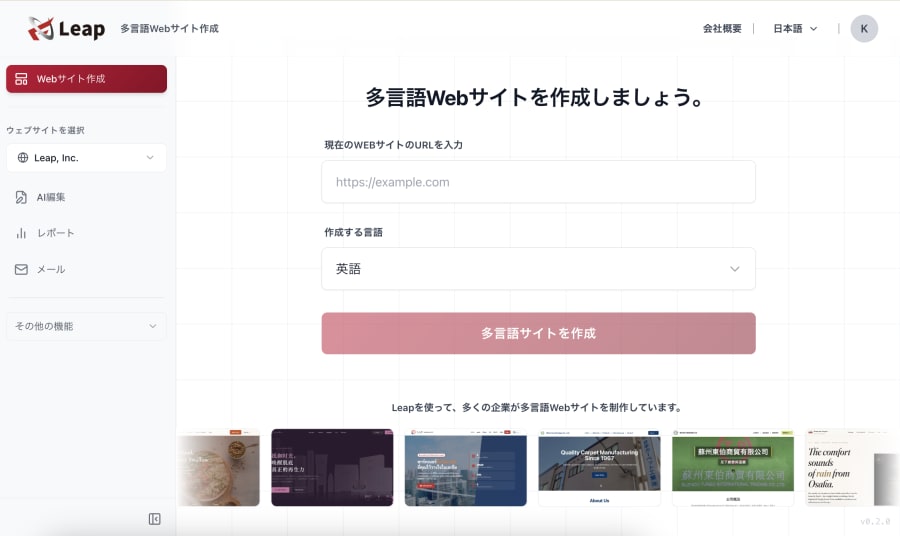
The daily grind of logging in, confirming orders, and reconciling stock is unglamorous, repetitive work — but getting it right is what determines customer trust and whether sold-out mishaps happen. Leap, a cross-border ecommerce tool that lets AI handle marketing too, is built around the idea of supporting a wide range of day-to-day e-commerce operations through conversation with AI, including this kind of efficiency gain in daily inventory management.
How to Sell Internationally With STORES
To sell overseas from a STORES online shop, you can use the "Overseas Sales Integration" (海外販売連携) feature that launched on July 7, 2026. According to STORES, Inc.'s announcement, the feature connects your shop to WorldShopping BIZ (WSB), a cross-border proxy purchasing service run by ZIGZAG Inc., and lets you sell to 228 countries and regions.
Here's how the integration works (as of the July 2026 announcement):
- ZIGZAG completes the purchase on behalf of the overseas buyer
- Your shop ships the item to a designated warehouse in Japan
- WSB handles international shipping, overseas payments and fraud prevention, collection and payment of foreign consumption taxes, and multilingual customer inquiries
Thanks to the partnership between STORES and ZIGZAG, WSB's usual setup fee of ¥33,000 (tax included) and monthly fee of ¥5,500 (tax included) are waived. You still pay your regular STORES online shop fees, and overseas buyers are charged a proxy purchasing fee of 10% of the item price plus domestic shipping.
Setup takes four steps:
- Apply through the WSB application form
- Receive the token issued by WSB
- Paste the token into the "Overseas Sales Integration" settings page in your STORES admin and save
- Let WSB know you've finished setup, and start selling once they've confirmed everything works
Once overseas orders come in on top of domestic ones, confirming orders and reconciling stock accurately matters even more. If you'd rather sell directly to overseas customers through your own multilingual, multi-currency store instead of a proxy service, Leap, a cross-border ecommerce tool that lets AI handle marketing too, is another option. Leap lets you choose which countries each product is sold in, and you can manage products and inventory through chat and forms.
FAQ
Q. Is the STORES admin dashboard the same URL as the customer-facing shop page?
A. No, they're separate screens. The admin dashboard, where you register products and manage orders as the owner, is different from the page where customers browse and purchase. Make sure you're accessing the owner-side dashboard when you log in.
Q. Can I manage inventory without using STORES Register?
A. Yes. Even with just an online store, you can manage stock counts manually from the admin dashboard. The integration with STORES Register is especially useful for businesses that want to unify inventory tracking across a physical location and an online store.
Q. Where should I turn if I can't log in?
A. If resetting your password doesn't resolve it, it's worth contacting STORES's official support. Having your registered email address and shop details on hand makes the inquiry go more smoothly.
Q. If I sell overseas through my STORES online shop, do I have to ship internationally myself?
A. Not if you use the Overseas Sales Integration. Your shop ships the item to a designated warehouse in Japan, and WorldShopping BIZ arranges the international shipping (as of the July 2026 announcement).
Summary and Key Takeaway
Behind a search for "STORES owner login" is often less a question about the login steps themselves, and more a concern about how to make the daily operational work after logging in more efficient. Reconciling orders and stock accurately, and making use of STORES Register's inventory-linking feature if you run a physical location, is what actually cuts down on day-to-day workload. Logging in is just the door to the real work — daily inventory management — that happens after it.
For more on this, see our guide to managing product registration and inventory on the go with the STORES app.
Leap is a cross-border ecommerce tool that lets AI handle marketing too. Just chat with it to build a multilingual, multi-currency online store and run overseas marketing such as SEO and email newsletters.
References
- "STORES Register" Sees 15x Growth in Adopting Stores in One Year; 76.4% Use Inventory-Linking Between Physical and Online Channels - EC no Mikata
- STORES Online Store Features - STORES official
- STORES Online Shop Launches "Overseas Sales Integration," Enabling Sales to 228 Countries and Regions With No Setup or Monthly Fees (Japanese) - PR TIMES