

Quick Overview: Selling on Amazon Internationally Starts with Global Selling
To sell on Amazon internationally, the standard route is Amazon Global Selling, which lets you expand your existing selling account to Amazon stores in other countries. For Japan-based sellers, Seller Central (Amazon's seller dashboard) can be used in Japanese, and the contact channel inside the selling account also supports Japanese.
There are four main costs: monthly subscription fees, referral fees, shipping and FBA costs, and currency conversion fees when you receive proceeds in yen. On Amazon.com in the US, the Professional plan costs $39.99 per month as of November 2026, and referral fees vary by category, with major categories at 8% to 15%. This article walks through six steps to get started and the fees, checked against official Amazon pages, and estimates the fees on a $50 product sold in the US.
What Is Amazon Global Selling?
Amazon Global Selling is a program that lets Amazon sellers list and sell their products in Amazon stores outside their home country. Amazon Japan's official seller page explains that existing sellers can choose where to expand from the "sell overseas too" (海外でも販売する) option.
Key features of Global Selling:
- You can operate in Japanese: With Seller Central's language switch, the account can be used mostly in Japanese.
- You can link accounts: Linking accounts across countries caps your monthly subscription fee (explained in the fees section).
- You can hand off logistics to Amazon: With Fulfillment by Amazon (FBA), Amazon stores and ships your inventory in the destination country.
Where You Can Sell with Amazon Global Selling
Amazon Global Selling covers four broad regions: North America and Brazil, Europe, Asia-Pacific, and the Middle East. Amazon Japan's official page describes them as follows (as of November 2026).
| Region | Countries and accounts |
|---|---|
| Americas | A North America and Brazil unified account covers the US, Canada, Mexico, and Brazil |
| Europe | One account reaches customers in 28 countries that use Amazon's European stores |
| Asia-Pacific | Australia, India, and more |
| Middle East | UAE, Saudi Arabia, and Egypt (country-specific Middle East and North Africa accounts) |
The expansion destinations you can choose on the official page are North America, Europe, Australia, the Middle East, Turkey, Brazil, and Japan.
How to Sell on Amazon Internationally (6 Steps)
Amazon's official guides lay out the process as: decide what to sell, create an account, list your products, ship, and manage your business. This article splits it into six steps, adding brand registration and getting paid.
1. Decide Where and What to Sell
Start by deciding which products to sell in which countries. Amazon's official guide recommends reviewing the destination country's taxes and regulations and your products' compliance requirements. Rules for categories such as food, cosmetics, and electronics differ by country, so check the destination's rules before listing.
2. Expand Your Selling Account to the Destination Country
Next, set up a selling account for the destination country. For the US, Amazon's US selling guide tells sellers based in other countries to create a Professional North America and Brazil unified account. According to the same guide, sellers who opened an account in another region, such as Japan, can also expand to the US from the Sell Globally dashboard in Seller Central.
3. Enroll Your Own Brand in Brand Registry
If you sell your own brand, Amazon recommends enrolling in Amazon Brand Registry before listing abroad. Brand Registry is free, and once a trademark from one country is approved, you get a global account that works in every Amazon store. For enrolled brands, only a brand representative or a reseller authorized by the brand can add the brand to the catalog.
4. List Your Products
You can match your offer to an existing product page in the destination store or create a new product page. If you already sell in another Amazon store, the Build International Listings tool lets you list in other stores and sync prices across them. Listings must appear in the local language, and for the US the tool can automatically translate them into English and Spanish.
5. Choose a Fulfillment Method (FBA or Self-Fulfillment)
You can choose between FBA and shipping orders yourself (Fulfilled by Merchant).
- FBA: You send inventory to Amazon's fulfillment centers in the destination country. For the US, you can export inventory through services such as Amazon Global Logistics. You or your logistics provider act as the exporter and importer of record, and Amazon's official guide states that Amazon is not responsible for customs duties and taxes on FBA inventory. Amazon handles customer service on your behalf in the local language.
- Self-fulfillment: You ship each order yourself and act as the exporter of record. For the US, you also need to provide customer service in English and Spanish.
6. Decide How to Receive Your Proceeds
With Amazon Currency Converter for Sellers, you can receive international proceeds in a bank account in your own country. The official page says it supports 20 Amazon stores and more than 20 payout currencies. You can also use a US bank account, but you may need to set up a US legal entity, and the official guide recommends consulting advisors first.
Amazon Global Selling Fees (as of November 2026)
Amazon's international selling fees are easiest to understand in four parts: monthly subscription fees, referral fees, shipping and FBA costs, and currency conversion fees. All amounts below were checked on each country's official pricing page as of November 2026.
Monthly Subscription Fees (Selling Plans)
Subscription fees are set by country. Here are the fees for major stores.
| Store | Professional | Individual | Referral fees |
|---|---|---|---|
| Japan (Amazon.co.jp) | ¥4,900/month | ¥100 per item | Varies by category (minimum referral fee of ¥30 for most categories) |
| US (Amazon.com) | $39.99/month | $0.99 per item | Varies by category; major categories 8–15% (minimum of $0.30 for most categories) |
| Canada (Amazon.ca) | CAD 29.99/month | CAD 1.49 per item | Varies by category (minimum of CAD 0.40 for most categories) |
| UK (Amazon.co.uk) | £25/month (excl. VAT) | £0.75 per item (excl. VAT) | Mostly 8–15% |
| Australia (Amazon.com.au) | AUD 49.95/month (excl. GST) | AUD 0.99 per item (excl. GST) | Mostly 6–15% |
Monthly Fee When You Link Accounts
If you link accounts across countries, your monthly fee is the lower of the sum of the fees for each country where you have active listings, or the equivalent of USD 39.99 per month. For example, if you use the Professional plan in both Japan (¥4,900/month) and the US ($39.99/month), the total exceeds $39.99, so linking the accounts brings your monthly fee to the equivalent of USD 39.99 (our calculation).
Referral Fees
Referral fees are charged on each sale as a share of the total sales price. On Amazon.com, you pay the category percentage or the minimum referral fee ($0.30 for most categories), whichever is greater. Rates for major categories (as of November 2026):
- Computers and consumer electronics: 8%
- Home and kitchen, toys and games, sports and outdoors: 15%
- Clothing and accessories: 5% up to $15, 10% from $15 to $20, and 17% above $20
- Beauty, health, and personal care: 8% up to $10, and 15% above $10
FBA Fees and Shipping Costs
If you use FBA, FBA fees are charged in addition to referral fees. Amazon.com's pricing page does not list the amounts; it points you to the FBA pricing page and the Revenue Calculator for estimates. If you ship orders yourself, you cover international shipping costs.
Currency Conversion Fees When You Get Paid in Yen
If you receive your proceeds in yen through Amazon Currency Converter for Sellers, the fee is a flat 2.0%. For other currencies, a rate of 0.75% to 1.50% applies based on your cross-currency net proceeds over the past 12 months.
Fee Estimate: Selling a $50 Product in the US
Using the numbers on Amazon's official pricing pages, we estimated the fees for selling 100 units per month of a $50 kitchen product (15% referral fee) on Amazon.com, with linked Japan and US accounts (as of November 2026, our own estimate).
| Item | Calculation | Amount |
|---|---|---|
| Sales | $50 × 100 units | $5,000 |
| Referral fees | $5,000 × 15% | $750 |
| Monthly fee (linked accounts) | Japan + US total exceeds the cap | $39.99 |
| Currency conversion (paid in yen) | ($5,000 − $750 − $39.99) × 2.0% | approx. $84.20 |
| Total fees | approx. $874.19 (about 17.5% of sales) |
This estimate excludes FBA fees, international shipping, customs duties, and advertising. Your actual profit depends on subtracting these as well. Referral fees vary widely by category, so recalculate with the rate for your own product category.
What to Watch Out for When Selling on Amazon Internationally
Check these four points before you start selling on Amazon internationally.
- Taxes and regulations: Tax and regulatory requirements differ by country. Amazon's official guide also recommends consulting tax and regulatory advisors before selling in a new country.
- Customs and import procedures: When you send inventory to FBA, shipments with unpaid customs duties are returned to the sender.
- Customer service in the local language: If you ship orders yourself, you need to provide customer service in the destination's language. You can find providers through the Service Provider Network.
- Brand protection: Enroll your brand in Brand Registry before other sellers list on the same product page.
The Japan External Trade Organization (JETRO) and Amazon also run the JAPAN STORE program, which supports Japanese businesses selling on Amazon in the US and UK. The deadline for the second round of applications for fiscal 2026 is 5:00 p.m. on Monday, November 30, 2026 (Japan time).
Amazon (Marketplace) vs. Your Own Online Store
The biggest difference between Amazon and your own online store is whether you sell to the shoppers already on Amazon or bring shoppers to your own site. Amazon gives you buyers from day one, but Amazon controls the product page format, and you compete on price with other sellers offering the same item. Your own store makes it easier to express your brand and connect directly with customers, but you have to drive traffic yourself.
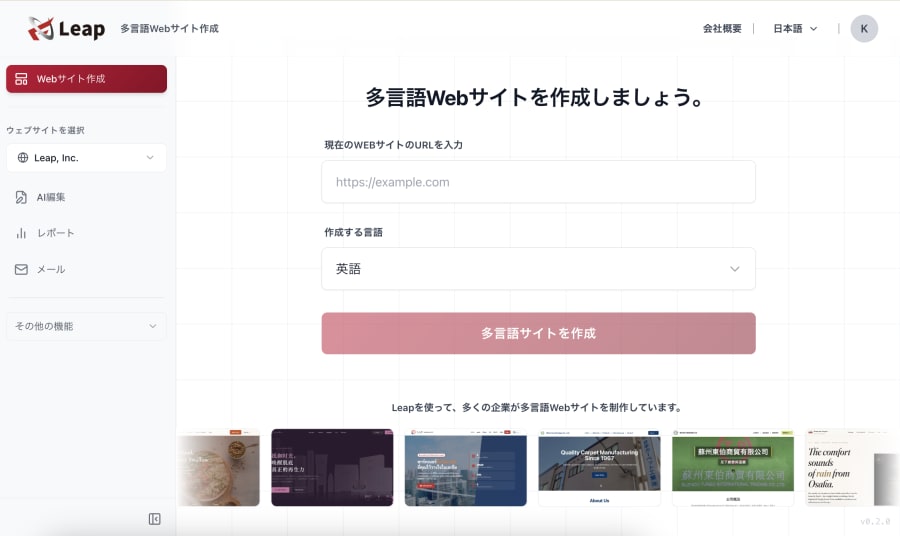
For reference, here is how Amazon compares with Leap, a cross-border ecommerce tool that lets AI handle marketing too, as an own-store option (as of November 2026).
| Amazon Global Selling (US) | For reference: Leap (own store) | |
|---|---|---|
| Pricing | Professional plan $39.99/month (capped at the equivalent of USD 39.99 with linked accounts) | From ¥0/month (excl. tax; Starter is ¥9,800/month) |
| Fees | Category-based referral fees (major categories 8–15%); 2.0% conversion fee when paid in yen | 6% of sales (including credit card processing fees) |
| Cross-border support (languages, currencies, payments) | Seller Central available in Japanese; checkout handled on Amazon | Multilingual; USD/EUR/JPY; Visa/Mastercard |
| Marketing features | Amazon search and ads such as Sponsored Products | Automated blog creation (SEO/AIO), email newsletters, CRM |
| B2B support | Business pricing and quantity discounts via Amazon Business (Professional plan) | Dedicated B2B cart (company-specific pricing, quote requests) |
Leap does not come with a built-in base of shoppers like Amazon, and it offers less design and feature customization than tools such as Shopify. A practical approach is to use Amazon to find out which countries and products sell, and then add your own store in the countries where you want to build a loyal brand following. For how Amazon compares with other marketplaces, see "Amazon vs eBay vs Shopee: Best Marketplaces to Sell Internationally from Japan."
FAQ
Q. Can individuals sell on Amazon internationally?
A. Yes, individuals can sell on Amazon. Amazon Japan's official seller page says registration requires items such as an ID document and bank account information. To sell in the US, Amazon's official guide tells sellers to create a Professional North America and Brazil unified account.
Q. How much are Amazon's international selling fees?
A. On Amazon.com in the US, the Professional plan is $39.99 per month as of November 2026, and referral fees vary by category, with major categories at 8% to 15%. FBA fees apply if you use FBA, and a 2.0% conversion fee applies if you receive your proceeds in yen.
Q. Do I pay monthly fees twice for Amazon Japan and overseas stores?
A. If you link your accounts, your monthly fee is the lower of the total for each country or the equivalent of USD 39.99 per month. With the Professional plan in both Japan and the US, linking brings the fee to the equivalent of USD 39.99.
Q. Can I sell on Amazon internationally without speaking English?
A. Seller Central can be used mostly in Japanese, and the contact channel inside the selling account supports Japanese. However, listings must appear in the destination's language, and if you ship orders yourself, you also need customer service in the local language. With FBA, Amazon handles customer service in the local language.
Summary and Key Takeaway
Selling on Amazon internationally means expanding your current account through Global Selling and following these steps: choose countries and products, expand your account, register your brand, list, fulfill, and get paid. Fees are easiest to manage in four parts: monthly fees, referral fees, FBA and shipping, and currency conversion.
The estimate shows that fees reach about 17% of sales even before FBA and shipping. Those fees include the cost of getting your products in front of the shoppers already on Amazon. Use Amazon first to learn which products sell in which countries, and then grow a loyal brand following with your own store in the countries that respond well. This two-step approach lets you benefit from both Amazon's reach and your own brand.
Leap is a cross-border ecommerce tool that lets AI handle marketing too. Just chat with it to build a multilingual, multi-currency online store and run overseas marketing such as SEO and email newsletters.
References
- Amazon海外販売(越境EC) - Amazon出品サービス
- Amazon出品者になる - Amazon出品サービス
- 出品費用 - Amazon出品サービス
- Global Selling - Sell on Amazon
- US Selling Guide - Sell on Amazon
- How much does it cost to sell on Amazon? - Sell on Amazon
- Currency Converter for Sellers - Sell on Amazon
- Amazon Business - Sell on Amazon
- Amazon Ads - Sell on Amazon
- Pricing - Sell on Amazon Canada
- Pricing - Sell on Amazon UK
- Global selling guide - Sell on Amazon UK
- Pricing - Sell on Amazon Australia
- JAPAN STORE Program (Amazon US/UK) - JETRO
- Pricing - Leap